# Branded keywords
> Separate searches for your brand from everyone else's, so you see how well your site reaches people who don't know you yet.
People who search for your name already know you. Everyone else found you on the merit of your content. Branded keywords split the two, so a jump in brand searches doesn't hide a drop in new visitors, or the other way round.
[Open Branded keywords](https://onsite.so/go/settings/branded)
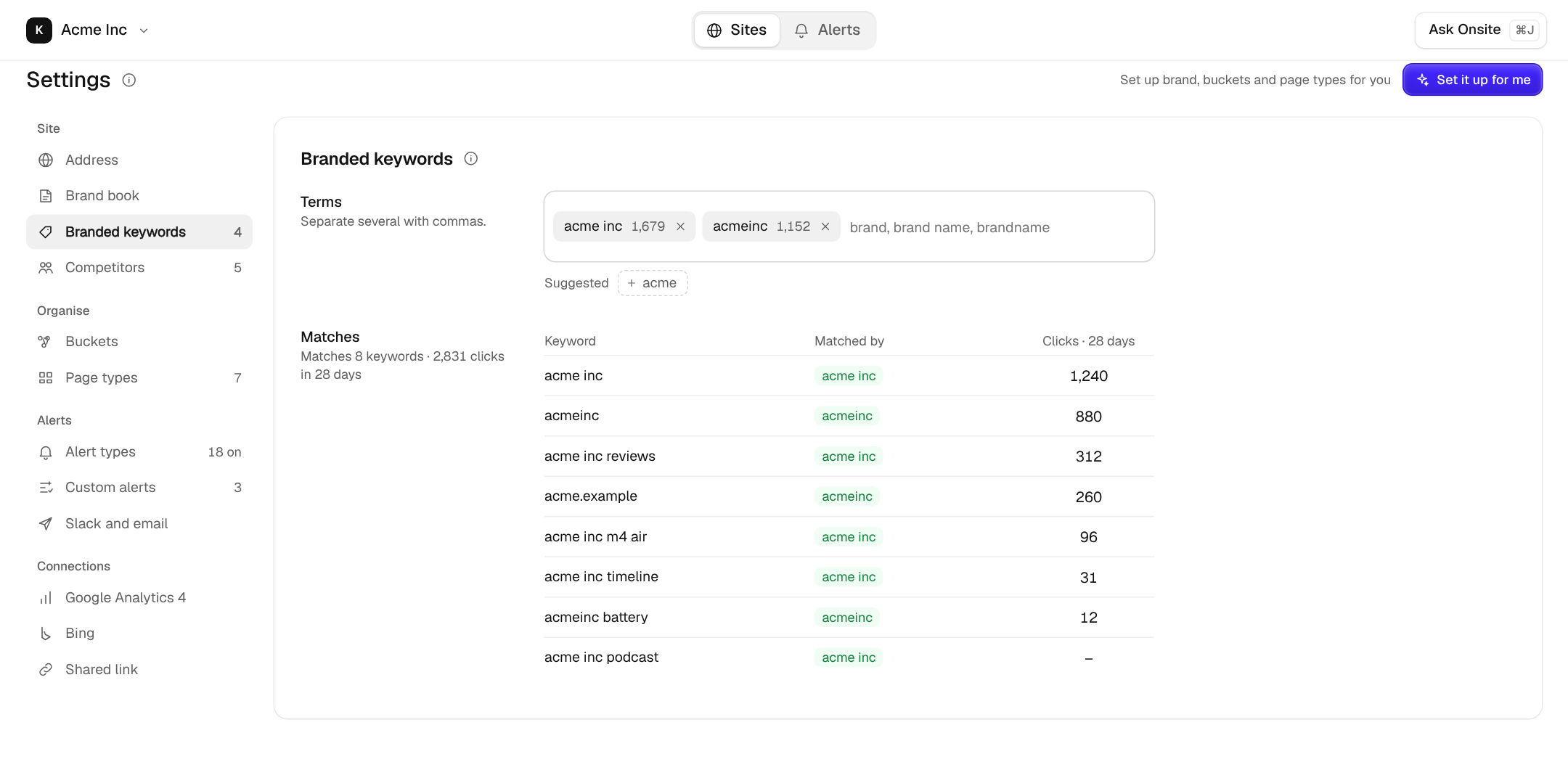
 ## Add your brand's terms
Open the site, then **Settings › Branded keywords**.
Under **Terms**, type your brand's name and choose **Add**. Add the other ways people write it too, separated by commas, like `example, example app, exampleapp`.
If Onsite shows a **Suggested** term, choose it to add it.
**Matches** lists the searches from the last 28 days that your terms pick up, with their clicks, so you can see nothing is missing and nothing slipped in.
To remove a term, choose the **×** on it. Your terms apply to past and future data.
Use the distinctive part of your name. A common word on its own, like "cloud" or "studio", would pick up searches that aren't about you.
## Where you'll see them
- **On the Overview**, the **Branded vs non-branded** card splits your clicks between the two and shows the top searches on each side.
- **In Filter**, choose **Branded / non-branded**, then **Branded only** or **Non-branded only**, to see the whole dashboard either way.
- **In buckets and rank tracking**, branded searches stay out, so they show how you do with new people.
- **In reports**, like Striking distance, you can leave branded keywords out.
**Set it up for me** can find your branded terms for you; see [Set it up for me](/guides/settings#set-it-up-for-me).
## Related
See branded and non-branded clicks.
Group non-branded keywords by subject.