

Your site's data
Bing
See your Bing clicks, keywords, pages, crawl health and backlinks from Bing Webmaster Tools, next to your Google data.
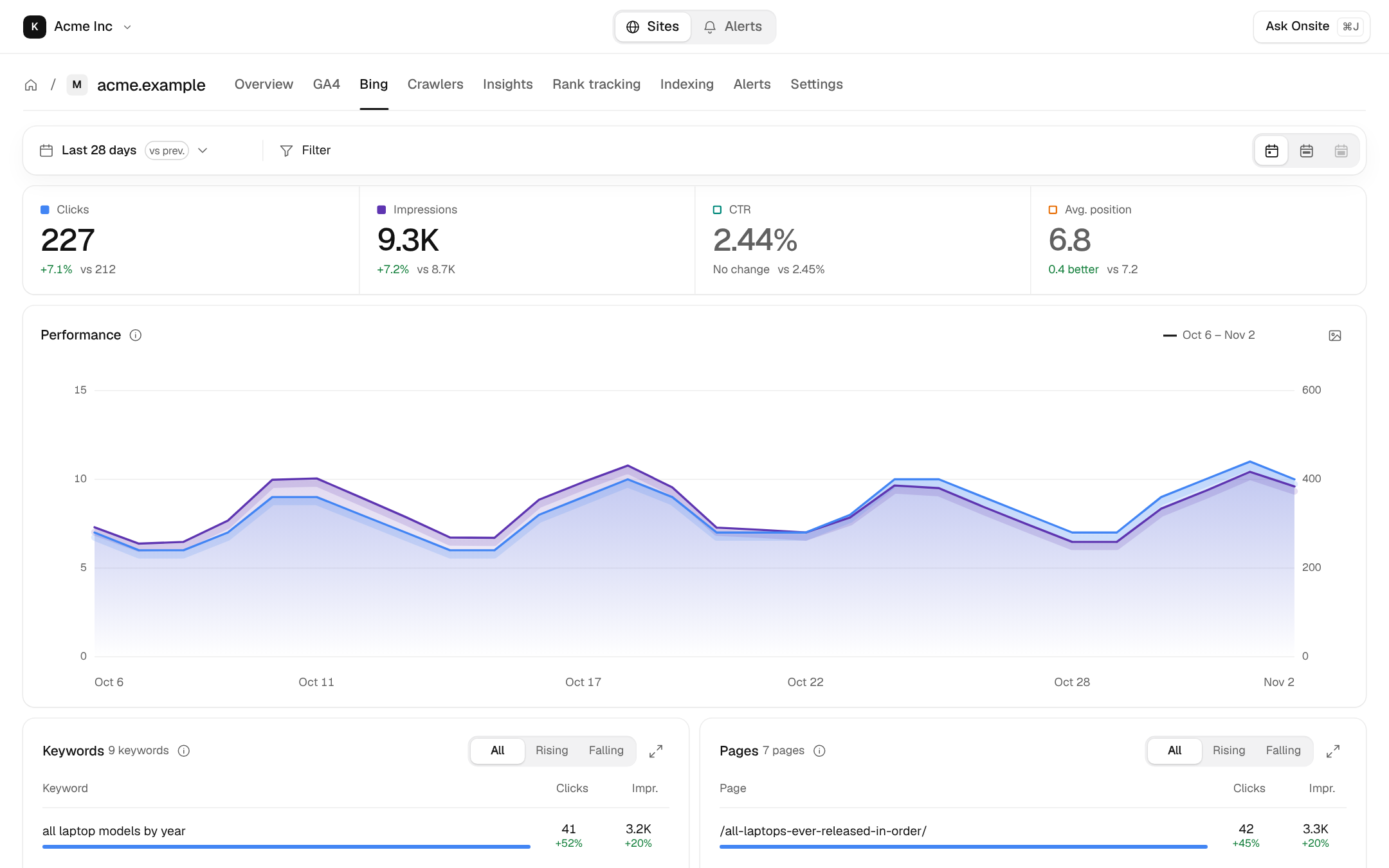
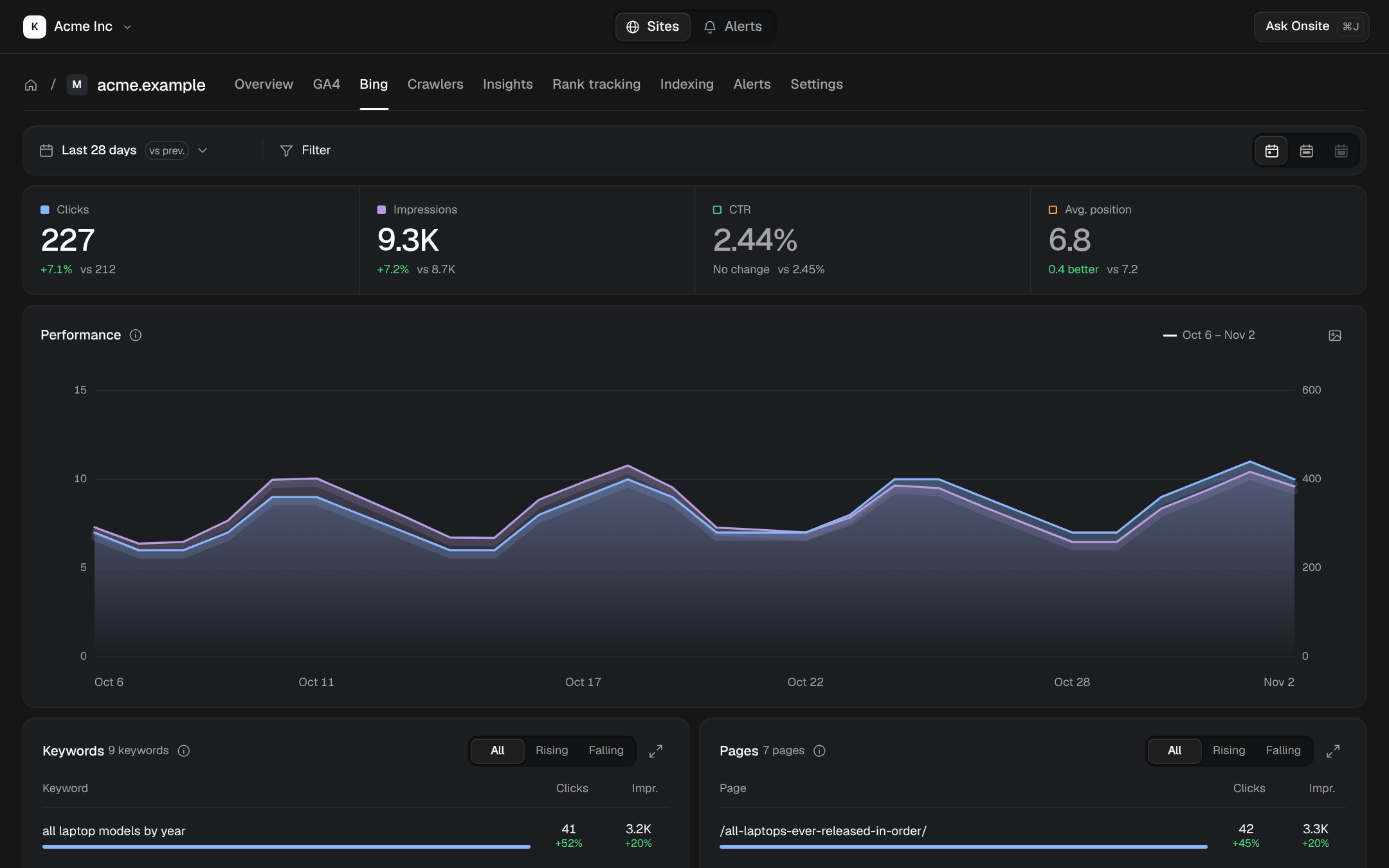
Bing powers its own results and feeds answers in other search and AI tools. The Bing tab shows your Bing Webmaster Tools data in the same layout as the Overview, so you can compare the two search engines side by side.
Connect Bing
Section titled “Connect Bing”You connect Bing once for your team, then every site Bing knows about fills in.
Open the Bing tab
On any site, open Bing and choose Sign in with Bing.
Sign in
Sign in with the Microsoft account you use for Bing Webmaster Tools, and allow access.
Generate a key in Bing
Sign in to Bing Webmaster Tools with the account that owns the site. Open Settings › API access, generate an API key under API key, and copy it.
Paste it in Onsite
In Onsite, open Settings › Linked sources, choose Use an API key instead under Bing, paste the key and choose Connect.
A key reads every site in that Bing account, with read-only access.
You can link more than one Bing account under Settings › Linked sources. If you can’t link one, ask a team owner.
Onsite matches each of your sites to its Bing site. If more than one Bing site fits a domain, the tab asks you to Pick the Bing site. If the site isn’t in Bing yet, verify it in Bing Webmaster Tools first.
What’s on the page
Section titled “What’s on the page”| Part | What it shows |
|---|---|
| Tiles | Clicks, impressions, CTR and average position from Bing, against the comparison. Select one to draw it on the chart. |
| Performance | Bing clicks and impressions day by day. |
| Keywords and Pages | What people searched on Bing, and the pages Bing showed. Pick one keyword or page to split the other list by it. |
| Crawl health | In index, Pages crawled, Crawl errors and Inbound links, with a chart of Bingbot’s responses by status code. |
| Crawl issues | URLs Bing flagged, like redirects, errors or pages blocked by robots.txt, with how many links point to each. |
| Backlinks | Your pages that other sites link to, as Bing counts them. Select a page to see the linking pages and their anchor text. |
The period and comparison work the same way as on the Overview.
What the numbers mean
Section titled “What the numbers mean”Clicks, impressions, CTR and average position mean the same as they do for Google. See What the numbers mean.
A few things are different on Bing:
- Keywords and Pages are counted in whole weeks. Bing reports them a week at a time, so these lists cover the full weeks inside your period.
- In index and Inbound links are as of the last day of the period. Pages crawled and Crawl errors are totals over it.
- A fixed URL leaves Crawl issues once Bing crawls it again.
Bing elsewhere in Onsite
Section titled “Bing elsewhere in Onsite”Turn on Bing clicks under Chart layers on the Overview to see Google and Bing on one chart.
If something looks wrong
Section titled “If something looks wrong”This site isn't in Bing yet
None of the Bing accounts linked to your team has this site. Add and verify it in Bing Webmaster Tools, or link the Bing account that has it.
Bing sign-in stopped, or the saved key stopped working
Choose Sign in again, or paste a new key in Settings › Linked sources.
Bing has no clicks or impressions for this period
Bing hasn’t reported any for the site yet. A newly verified site can take a few days to show data in Bing Webmaster Tools.